Shipping it
Play this step Its whole project
Your game is finished. Here it is, on its third level, with everything you've built on screen:
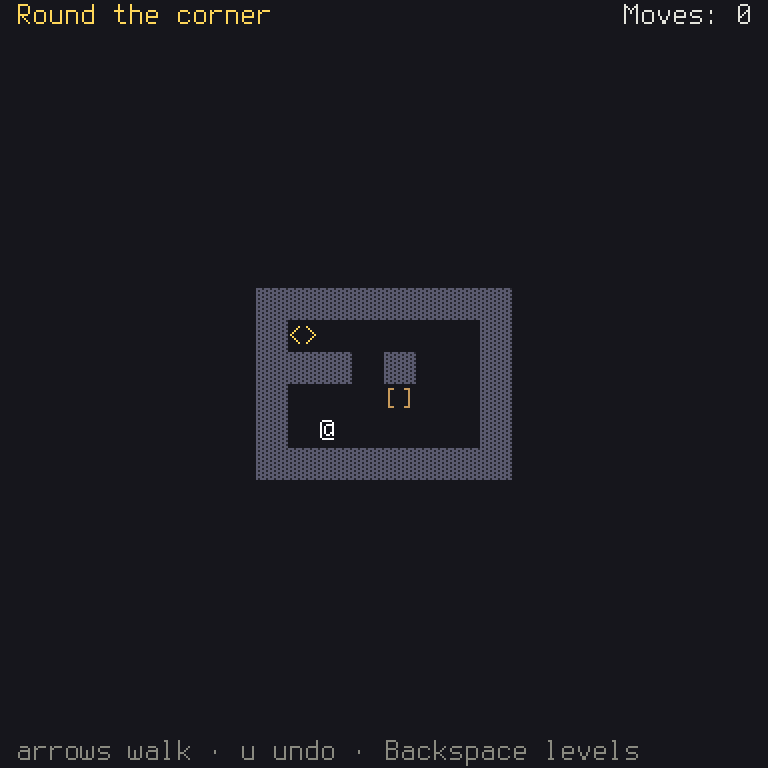
Now hand it out. A target is a kind of machine or place a game can run: a desktop computer, a web browser, a handheld. This step gets your game ready for the targets it lists, and puts it where people can play it.
Who it is
Shuyi: a game's id says which game it is, written like a web address back to front:
io.github.yourname.box-pusher. The player's saves are kept under it. A new game's is a placeholder, and two games with one id share their saves, so set your own before you hand out a build, and never change it after, as players would lose their progress.
In shuyi.ron's app, change the id. If you have a GitHub account, use your name there:
id: "io.github.zafnok.box-pusher",
Then write it into the code. This rewrites app_info.rs, the file you've been told not to edit by hand:
Check it
Game idea: a gate is a check that must pass before a change goes in. Run the gates before each release, and ideally before each change. Shuyi has a command for each.
check --target allholds the game to each target inshuyi.ron: that its frame fits the screen, that its text can be read, and that every screen's controls exist there. This is why every screen had to go on the list instages.rs.lintreads your code for what breaks Shuyi's rules, like a key named in text, and words written in code and not inen.ron.testruns everything you wrote, and everythingshuyi newgave you.
Each problem comes with a code, like SH2101. cargo shuyi explain SH2101 says what it means and how to fix it, and so do the
problem code pages.
Build it
Until now, you've built in debug mode, which compiles quickly and checks a lot as it runs. For players, you want release mode, which takes longer to compile, and runs faster and smaller.
dist/web/ now holds everything: the page, the game and NOTICES.txt, which must ship with it. That file credits everyone whose
code and fonts your game uses, as their licenses require, and the tools wrote it for you.
Try it through any local web server, since a browser won't load a game from a plain file for safety reasons. If you have Python, this works, and then you can open the address it prints:
Put it on Pages
The folder is a static site, a set of files that need nothing but a place to be served from, so any host works. On
GitHub, publish dist/web/ from your repository with Pages (Settings, then Pages), by a workflow that builds it or by pushing the
folder to a branch. Everything in it loads by a relative path, so it works from the address Pages gives your repository.
Then send someone the link. You've made a game, and they can play it.
Chapter 9 covers the other targets, and how cargo shuyi export packages a game for
desktop.
What you've learned
Look back at what you know now. In Rust: functions and types, structs and enums, match, Option and Result and ?, borrowing,
ownership, traits, generics and closures. That's most of the language you'll use day to day. Rust has more, and you can learn the rest
as you need it. The Rust Book is free, and very good.
In making games: the loop and its frames, state, commands, determinism, data apart from code, and testing by playing.
In Shuyi: screens on a stack, Ctx, views and skins, the grid kit, actions and the keymap, text by key, the palette, the format registry
and the bundle, TurnRules and History, menus and results, storage, the options screens, the Harness, GameTools, bots and replays, and
targets. You'll find all of these in the glossary.
Where next
The best next step is to change this game until it's yours. In order of difficulty:
- A level of your own. Add
levels/6.map, put it inlevels.ron, and addlines/6.ron. The test will tell you if it can be won. - A new look. Change the palette, and the characters in
TERRAIN_LOOKSandPieces, until it doesn't look like this tutorial. - A new kind of tile. Add ice, which keeps a box sliding, or a hole that a box fills in. You'll change
TERRAIN_NAMES,TERRAIN_LOOKS, a level's legend andapply. The compiler will find the rest. - A new command. Add a "reset the level" action, as you added Undo. Think about whether it's a command at all, or whether it
starts a new
History.
The book explains each idea of the engine on its own, including all the things this game didn't need: real-time games, maps, pictures, sounds and more. And Hello, Grid is a bigger example to read.