The frame and skins
What's on the screen and how it looks are two different questions. "The second plot has a sprout in it" is one. "A sprout is a green triangle" is another.
If one piece of code answers both, you can't change the look without risking the game, and a test of the game breaks whenever a color changes. So the engine keeps them apart. Graphics are a skin. A screen says what it shows, as plain data called its view, and a skin says how that looks. Glyph art, pixel art and bought sprite packs then swap without touching the rules, and a test of what happened never breaks because a color changed.
The whole chain is short: the rules' state (everything that's true now) gives the view, and the skin paints the view into the frame.
The view
The garden's view is built from the rules' state and the game's text, and nothing else:
/// What the garden shows: plain data, built from the rules' state and
/// the game's text, which tests read.
/// A plot as the garden shows it.
It names no glyph, no color and no position: those are the skin's.
Rust:
enum Plotis one of a fixed list,SoilorSprout.usizeis a whole number, never negative, of the kind used to count a list's items.
plots.map(|&grows| ...).collect()is an iterator chain: go through each plot, turn each into aPlot, and gather them into a list.|&grows|is a small nameless function whose one argument isgrows, and the&takes the value out of the reference it comes as. In Rust,ifgives back a value, soif grows { Plot::Sprout } else { Plot::Soil }is onePlot.
match garden.outcome()opens anOption:Nonewhile the game goes on, orSome(...)with how it ended. It picks which line of text to show.
The frame
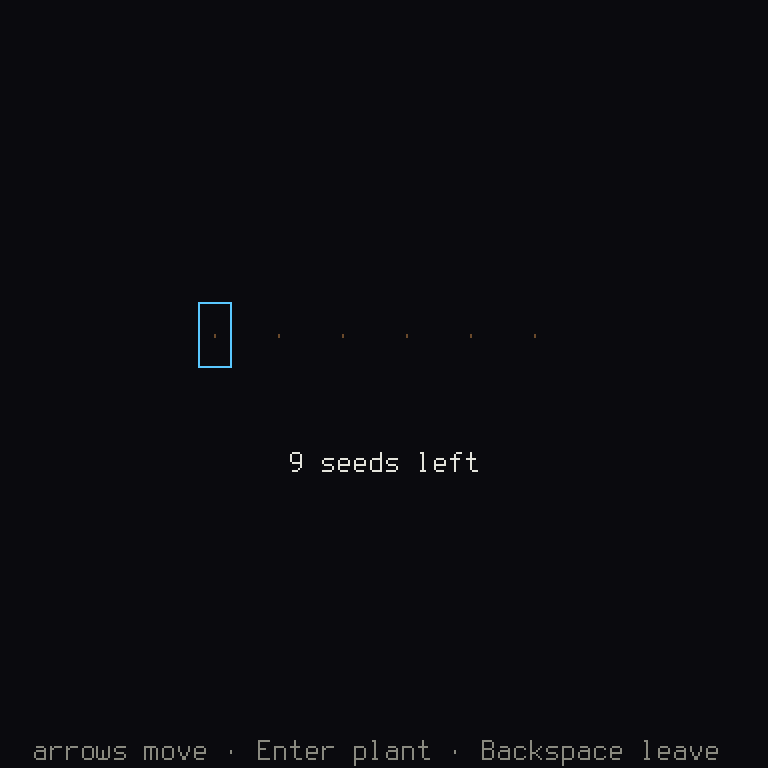
Every screen draws into one frame, the picture the player sees. Its first layer is
a console, a grid of cells like an old terminal, each holding one glyph (a
character) with its colors. That grid is a GlyphBuffer, sized by the game: 48 × 24
cells of 8 × 16 pixels on the short path, BASIC_CONSOLE, and a game sets its own with
BasicGame::console. Over and under the cells go pictures from the game's images
(sprites, tiles, a backdrop), each with a layer that says what it covers.
A glyph skin paints cells: fill_rect, draw_box, print (which returns how many
cells it used), set, and the prelude's print_centred. Colors come from the palette
by name, never as numbers: ctx.palette.engine(EngineColor::Text) for the engine's own
roles, and ctx.palette.lookup(name) for one of the game's, from files/palette.ron:
    // The game's own.
    "soil": "#6b4a2b",
    "sprout": "#7ad07a",
A color like #7ad07a is three pairs of digits in base 16, for how much red, green and
blue it has, from 00 to ff.
The skin
The garden's skin is one function of its view:
/// The glyph skin: paints a garden's view into the frame's cells, its
/// colors by name from the game's palette.
Rust:
fgandbgare the cell's foreground and background colors.let (glyph, fg) = match plot { ... }takes a pair apart: each arm gives back a glyph and a color, side by side, as a tuple, and this names both.
(left..).step_by(4)counts up fromleftin fours, forever, and.zip(&view.plots)pairs each number with a plot, stopping when the plots run out. Soxandplotgo along together...makes a range.The cell positions are
i32, which may go negative, as something can be drawn partly off the screen. A list's length is ausize. Rust won't mix number types without being told, soi32::try_from(view.at)converts, andunwrap_or(0)says what to use if it can't.There isn't a single fractional number here: cells are counted, and everything lands on the same place on every machine.
A screen's draw builds the view and hands it to the skin. Since the view says nothing
of how it looks, changing the look changes one line of the skin:
In src/frame.rs:
- Plot::Sprout => ('▲', own("sprout")),
+ Plot::Sprout => ('♣', own("sprout")),
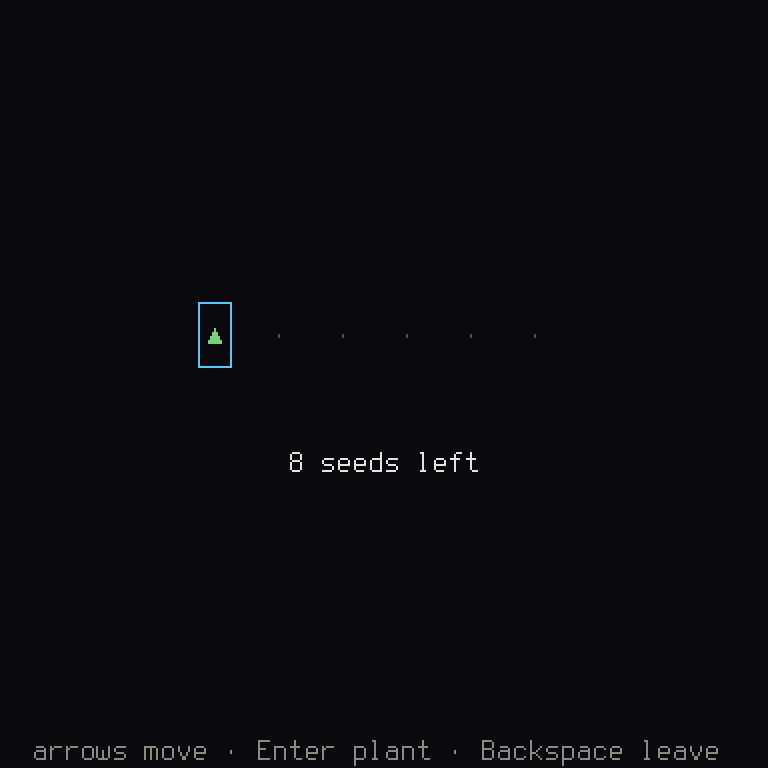
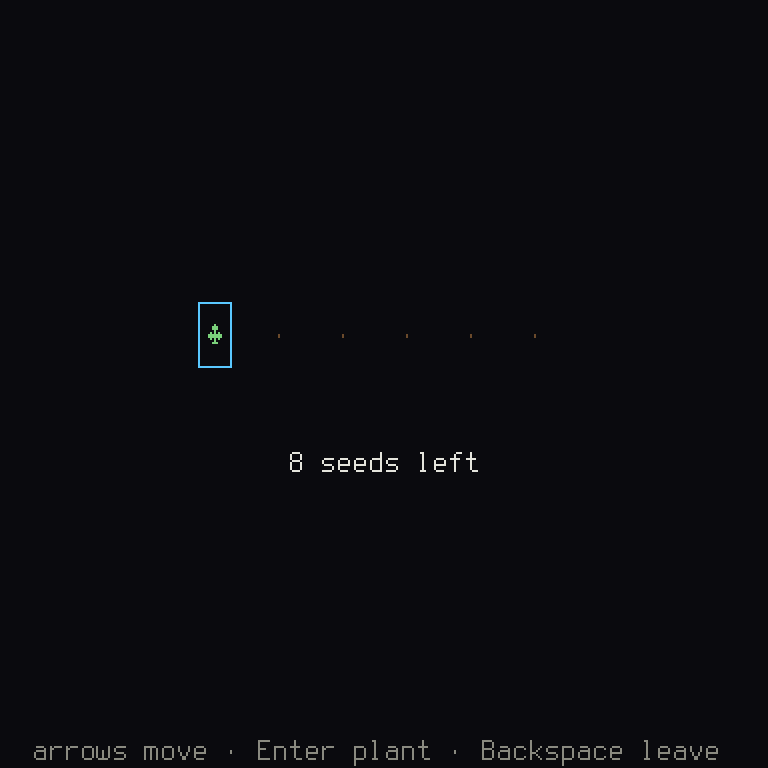
Nothing else in the game knows. And a color doesn't need code at all:
In files/palette.ron:
- "sprout": "#7ad07a",
+ "sprout": "#5a9bff",
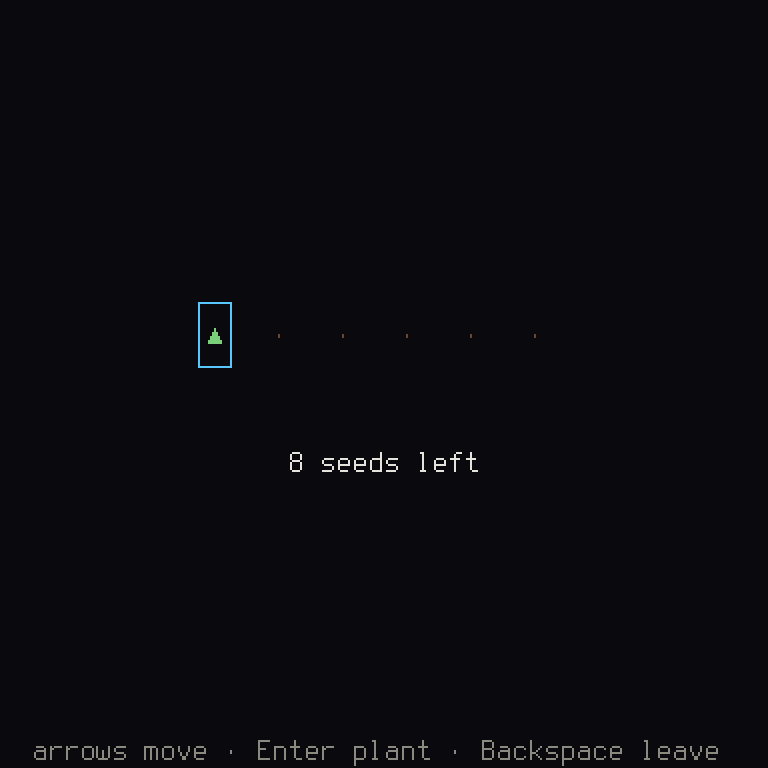
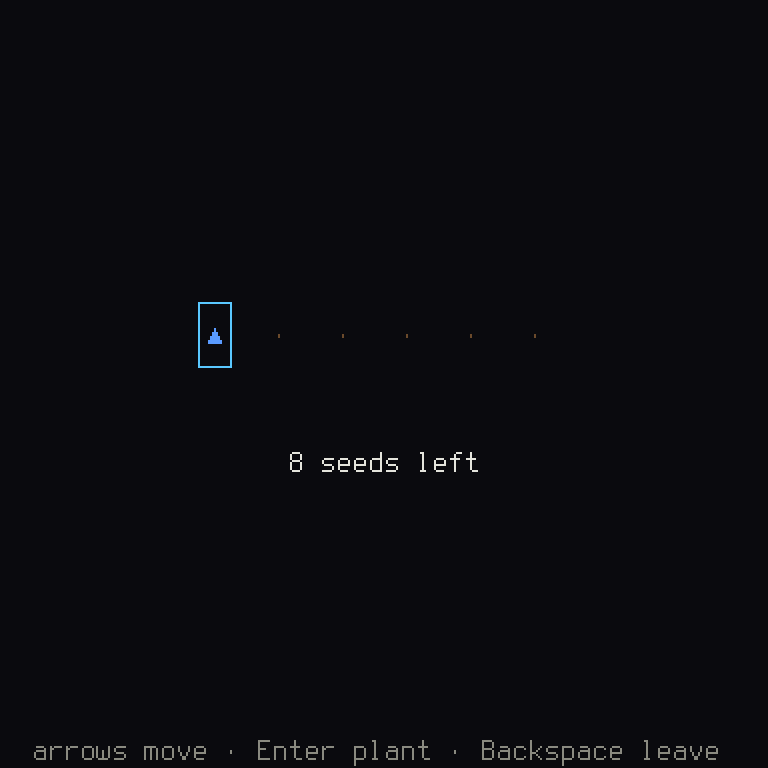
A second skin of the same view (sprites in place of glyphs, a one-bit look for a
handheld) is a second function, picked by a setting, and nothing else in the game
changes. The grid kit's map (shuyi::ui::grid) works this way: a scene of the
visible tiles, painted by a glyph skin or a sprite skin, with the game's units by a
painter of its own. Hello, Grid shows both.
A picture the skin paints
Pictures from the game's image files are made before the game runs. Some
pictures can't be: a video's frames, an old console's screen in an
emulator, a minimap of what the player has seen, a moving plasma. Their
pixels (the dots a picture is made of) are made while the game runs.
A skin paints such a picture itself, as a Painted picture, and places
it in the frame like any other:
/// The plasma's name among the frame's pictures.
pub const PLASMA: PaintedId = new;
/// A skin that paints a 64 × 48 plasma from the step count, pixel by
/// pixel, and shows it twice its size with its top-left at `(x, y)`.
The frame keeps its pictures from one frame to the next, by name. Each
has a revision, a count that goes up whenever its pixels are written,
and the window sends a picture to the graphics card again only when its
revision moved. update puts the picture in only if it differs from the
one already there, so a plasma painted afresh at every frame costs
nothing in the frames where it didn't change.
Rust:
as_chunks_mut::<4>()cuts the pixels' bytes into groups of four, red, green, blue and how solid the pixel is (255 is fully), and.0takes the whole groups..chunks_mut(64)cuts those into rows of 64 pixels, and(0u32..).zip(rows)numbers the rows, sopyis a pixel's row; the inner loop numbers each row's pixels, its columnpx.abs_diffis how far apart two numbers are, never negative.
A picture comes in three kinds: Painted::rgba (four bytes a pixel, as
here), Painted::indexed (a byte a pixel and a palette of up to 256
colors, so changing a color changes every pixel of it at once) and
Painted::one_bit (black and white). It's drawn without smoothing, at any
size, and on a black-and-white display a colored picture is turned to a
pattern of black and white dots as it's drawn. The test reads the
picture's revision, not its pixels:
Why tests read the view
A test of what happened reads the view, or the state behind it:
Rust:
h.screen::<GardenScreen>()asks the stack for the screen of that type, and gives back anOption, as it might not be there..unwrap()opens it, and stops the test if it'sNone. That's fine in a test, and in a game you'd handle theNone.
Only a test of a look reads cells and colors. h.snapshot() is the frame as text, the
cells' glyphs and then their colors:
Rust:
assert!fails the test unless its first argument is true, and the rest is what to print if so, with{frame}filled in by the value offrame.
Change bare soil's glyph from ·, and the second test breaks, as it should, since the
look is what it's about. The first test doesn't notice. That's the whole reason for the
view.
For a picture, cargo shuyi frame-png garden.png --keys "Enter" paints the frame to a
PNG with no window. Every picture in this book is made that way. Look at it, and keep
the tests on the view. Chapter 8 says how to keep a
look in a test.
Things that move
A sprout that pops up, a menu that slides in, a title that bobs: the skin shows a change over time, and the rules never wait for it. The engine draws such a motion from the time alone. A tween is a value going from one end to another over a time, along an ease curve that says how it speeds up and slows down, and its value at a moment is worked out from how long it has run. Nothing steps it along from the frame before, so it looks the same at any frame rate, and a test can ask for any moment:
/// How a new sprout comes up: from 8 pixels below its plot to its place in
/// 300 milliseconds, a little past and back, eased out with a "back".
pub const SPROUT_RISE: = new.with_ease;
/// How many pixels below its plot a sprout planted `ms` milliseconds ago is
/// drawn: worked out from the time alone, so nothing has to update it.
Rust:
constmakes a value the program has from the start, built byconst fns such asTween::new.Tween<i32>is a tween of whole numbers; a tween of a pair, a color or a number of your own type works the same way.
The curves have the names other engines and websites give them, after Robert Penner's
equations: Ease::Out(Family::Back) is easeOutBack on easings.net, and Godot's
TRANS_BACK with EASE_OUT. Back goes a little past its end and comes back; Linear
moves as the time does, InOut(Sine) starts and stops gently, Out(Bounce) bounces.
The API docs of shuyi::core::ease list them all, beside other engines' names. In a
RON file a tween is data, like everything else: (from: 8, to: 0, duration: 300, ease: Out(Back)).
The time is a whole number in the unit you choose. A screen counts milliseconds: it
keeps the moment its sprout was planted, and draws it at sprout_offset(now - planted). The rules count steps or turns. The curves are worked out in whole numbers,
never fractions, so they are the same on every machine, and the rules may use them too.
A test reads the motion at any moment, and asks when it ended:
Rust:
frames.windows(2)goes through each pair of neighbors in the list, here one frame's time and the next..filter(...)keeps the pairs where the sprout landed, and.count()counts them.
finished_between is how a screen hears "it landed": given the time of the frame
before and this one's, it is true once, so the screen plays its sound or moves on
without keeping a flag.
Seeing what the game sees
A debug build can draw what your logic works with over the running game: where the map's cells are, which part of it is in view, where a box collides. This is the debug view. Each thing it can show is a channel, turned on and off from the debug menu's Debug view, which lists every channel the screens running offer; the choice is kept for the next launch. A build for players draws none of it and asks no screen for it.
A screen offers a channel in debug_draw, a method of Screen that does nothing unless
you write it. It hands in gizmos: rectangles, lines, crosses, circles and labels, in
console pixels, each with a role that says what it shows (bounds, solid, trigger,
path, bone, note). The engine picks their colors from the role, so a gizmo never names a
color, and debug_draw only reads the screen (&self), so looking never changes the
game. The garden's own channel boxes each plot:
/// The garden's channel of the debug view.
pub const PLOTS: Channel = new;
/// Hands in a box round each plot's cell, and a cross on the one the
/// player stands at, in console pixels: where the skin put them. The
/// garden screen's `debug_draw` calls it with its view.
The grid kit offers its own channel, grid: a map screen calls
shuyi::ui::grid::debug::layout_gizmos from its debug_draw, and the cell lines, the
map's edges, the cursor's cell and each unit's appear. Hello, Grid's stage and the stage
of a shuyi new --template grid game offer it already. A test reads the gizmos as it
reads a view, never their pixels:
To see the same as a picture, cargo shuyi frame-png out.png --debug plots turns the
channels on from the first frame (--debug all turns on every one).
When it goes wrong
A glyph the font doesn't have. The font is a picture of the characters it knows, in
files/font/. A character outside it can't be drawn as itself, and nothing stops the
game: the window only notes it once in its log. So look at a new glyph in a picture.
A color name that isn't there. ctx.palette.lookup(name) gives an Option, as a
name may be missing, and the skin above falls back to the engine's text color. A typo
in a name shows as a sprout in the wrong color, not as an error. A missing color of the
engine's, or a bad one, is caught by cargo shuyi check:
check: 1 error(s)
  files/palette.ron: missing required colour "focus"
check: 1 error(s)
  files/palette.ron:20: colour "sprout": "green" must start with '#' (format "#RRGGBB")
Trying to change the game in draw. The compiler stops you, as draw only has
&self (chapter 2).
On a target's screen
A target is a kind of machine or place a game runs. Each target says how big its
display is and how small its text may be, and cargo shuyi check --target checks the
game's frame and scale against it (chapter 9). A
one-bit display, such as the Playdate's, has only black and white, and takes each
palette role's pattern from the game's one-bit map.