Levels and a menu
Play this step Its whole project
One level isn't a game. This step adds four more, a list of them, and a menu to choose from:
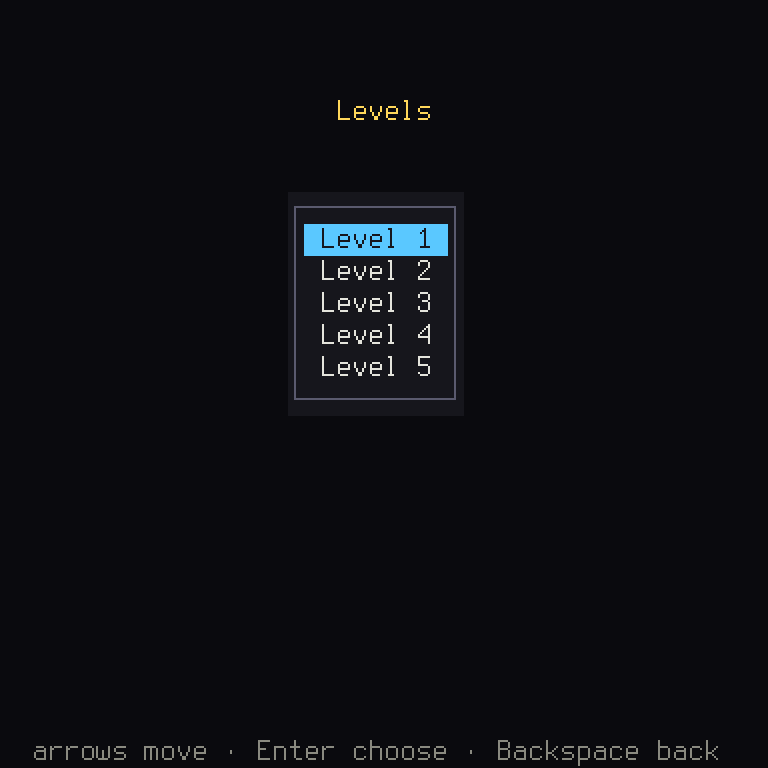
The stack of screens gets a third card too, so you'll see how screens talk to one another.
| File | What changes |
|---|---|
crates/game/files/levels/2.map to 5.map | New: four more levels |
crates/game/files/levels.ron | New: the list of levels |
crates/game/src/level.rs | Reads the list, and every level on it |
crates/game/src/levels.rs | New: the menu screen |
crates/game/src/stages.rs | Own holds every level, and the title starts the menu |
crates/game/src/board.rs | Starts on a chosen level, and hands back a result |
crates/game/src/lib.rs | pub mod levels; |
crates/game/files/en.ron | The menu's words |
crates/game/tests/board.rs | on_board goes through the menu, and new tests |
The levels
Add these to crates/game/files/levels/. Designing levels is half of making a puzzle game, and
you're welcome to change them once the step works. These four were each checked to be winnable.
Step 9 has a test that proves it.
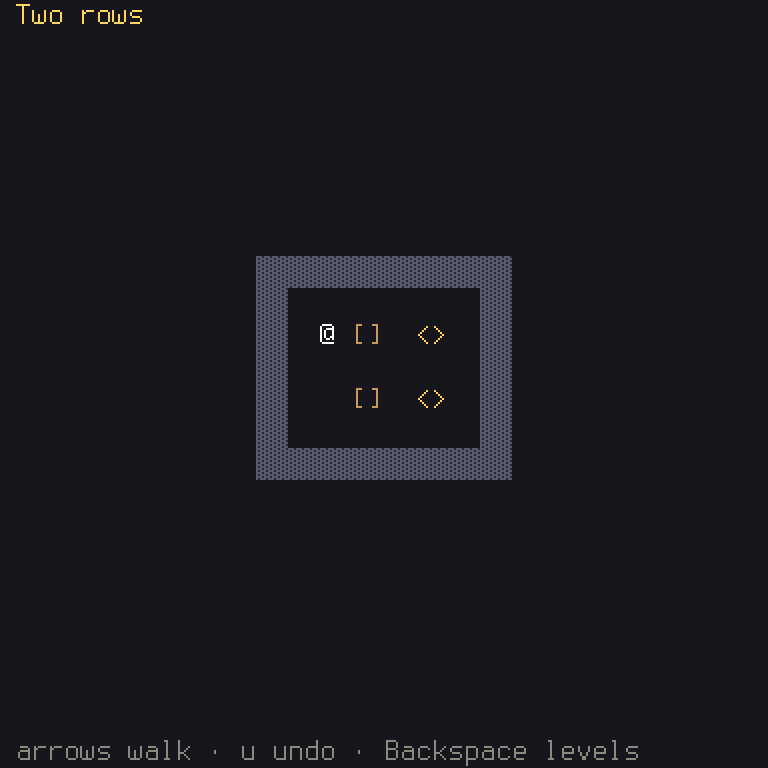
2.map:
// Level 2, in the engine's `.map` format.
(
    name: "Two rows",
    legend: { '.': "floor", '#': "wall", 'o': "target" },
    features: { (2, 2): Start, (3, 2): Box, (3, 4): Box },
)
---
########
#......#
#....o.#
#......#
#....o.#
#......#
########
3.map:
// Level 3, in the engine's `.map` format.
(
    name: "Round the corner",
    legend: { '.': "floor", '#': "wall", 'o': "target" },
    features: { (2, 4): Start, (4, 3): Box },
)
---
########
#o.....#
###.#..#
#......#
#......#
########
4.map:
// Level 4, in the engine's `.map` format.
(
    name: "Side door",
    legend: { '.': "floor", '#': "wall", 'o': "target" },
    features: { (2, 5): Start, (2, 2): Box, (2, 4): Box },
)
---
#########
#...#...#
#...#.o.#
#......o#
#...#...#
#...#...#
#########
5.map:
// Level 5, in the engine's `.map` format.
(
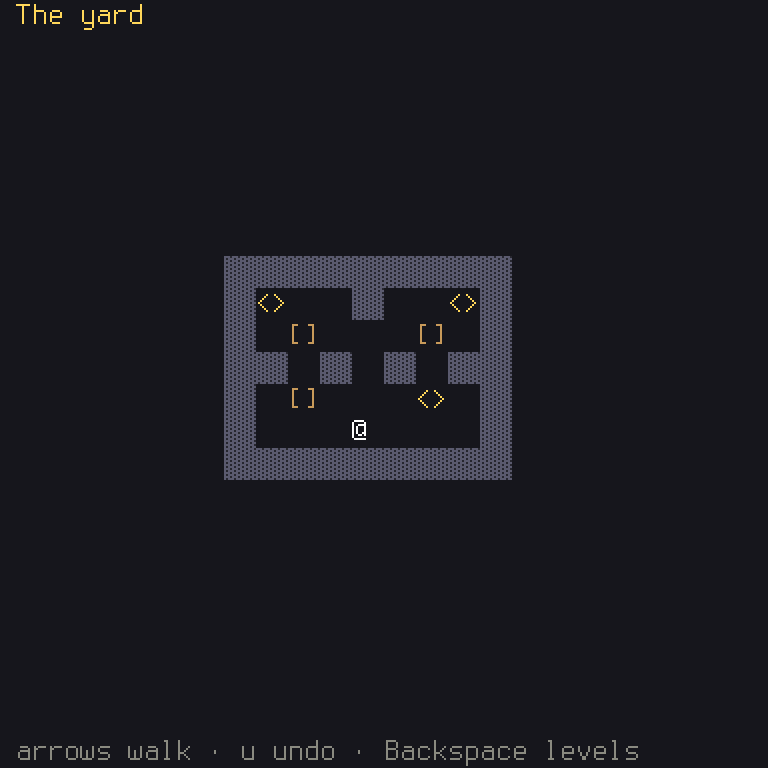
    name: "The yard",
    legend: { '.': "floor", '#': "wall", 'o': "target" },
    features: { (4, 5): Start, (2, 2): Box, (6, 2): Box, (2, 4): Box },
)
---
#########
#o..#..o#
#.......#
##.#.#.##
#.....o.#
#.......#
#########
Here's how the second looks, when you reach it. The camera has more to frame, but no code had to change for that:
The list
Name them in crates/game/files/levels.ron, in the order they're played:
// The levels, in the order they are played.
[
    "levels/1.map",
    "levels/2.map",
    "levels/3.map",
    "levels/4.map",
    "levels/5.map",
]
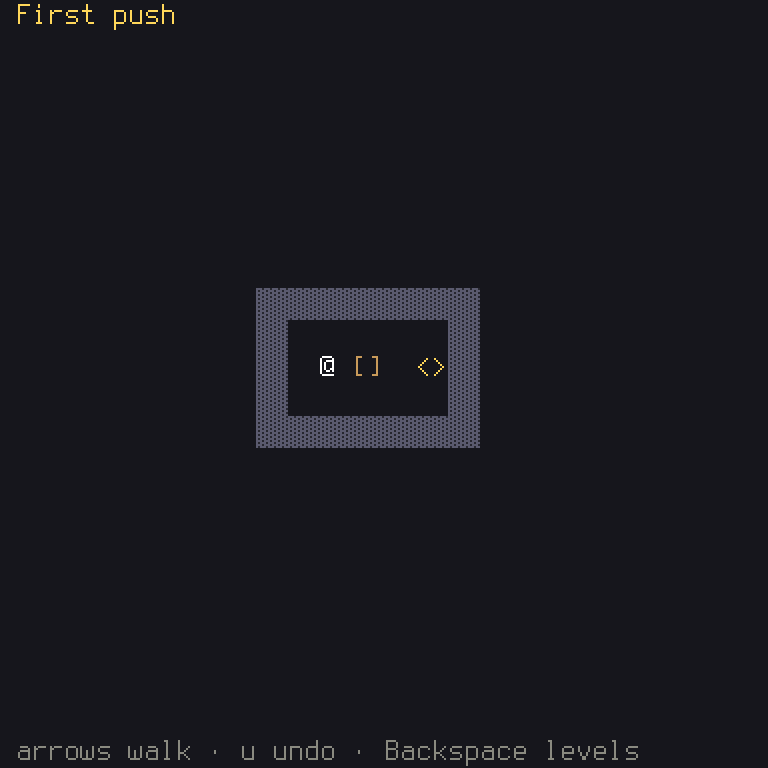
A list in a file means the order is data too. Swap the first and last, and level 5 comes first, with no code changed:
In crates/game/files/levels.ron:
-     "levels/1.map",
-     "levels/2.map",
-     "levels/3.map",
-     "levels/4.map",
-     "levels/5.map",
+     "levels/5.map",
+     "levels/2.map",
+     "levels/3.map",
+     "levels/4.map",
+     "levels/1.map",
The list is a kind of asset of the game's own, read as RON. In level.rs:
/// The level list: each level's file, in the order they are played.
;
/// Reads every level the list in `levels.ron` names.
It's the three parts from step 2 again. LevelList is a new kind, a plain type with a name for
error messages (that's all AssetKind asks). Ron::<LevelList>::new() is its format, which the
engine provides for any type. Add it to the registry, in formats(), below the other:
let _ = formats.register;
Rust:
Vec<String>is a list of texts, andpub struct LevelList(pub Vec<String>)wraps it in a type of its own.#[serde(transparent)]tells serde to read the file as just the list inside. You get to it as.0, the first field.
read_all shows a good habit: it doesn't stop at the first bad level. It tries them all, gathering
every problem into errors, so when you run cargo shuyi check you see everything that's wrong at
once. errors.extend(...) adds a whole list to a list.
Now Own holds them all. In stages.rs, the level field becomes levels:
/// The game's own part of its data.
/// Reads the game's own part from its files.
and the board takes which one:
/// The board on level `level`.
///
/// # Panics
///
/// If that level isn't one, or makes no puzzle, which loading it rules
/// out for each level of the list.
Rust:
ctx.game.own.levels[level]picks one item from a list by its position, counted from 0. A position past the end panics, and the# Panicspart of the comment warns of that.usizeis the kind of number used for positions.
Also add pub level: usize, to the top of struct Board.
The menu
Make crates/game/src/levels.rs (with an s: level.rs is one level, and this is the screen that
lists them).
Shuyi: before you write a screen, look for it in the engine.
shuyi::ui::widgetshas menus, lists and question boxes. Your screen just wraps one. TheMenuhere handles moving the focus up and down, wrapping round, and sounds.
use Any;
use *;
use glyph;
use ;
use crateData;
use crateAction;
use crateBoard;
Each item of a menu carries the value it stands for, so the screen doesn't need a list beside it to know what was chosen. Say what those values can be:
/// What an item of the menu stands for.
The screen remembers only which item has the focus. Default in the derive means a LevelMenu can be
made with sensible starting values, and focus starts at 0:
/// The level menu.
Then an impl LevelMenu { ... } block holds two functions. new makes one, using that default:
/// The menu, on the first level.
and menu makes the menu's items:
/// The menu's items: a text key and a value each.
Rust:
0..levelsis a range: the numbers from 0 up to, but not including,levels. And.map(|n| ...)makes something from each one. Here, a chain of builders makes a menu item: its text key, then what to fill{n}with, then its value.n + 1is there since people count from 1 and programs count from 0.
The text comes from the key levels.level, so it's in en.ron as ever:
    // The level menu.
    "levels.title": "Levels",
    "levels.level": "Level {n}",
    "levels.help": "{Cursor} move · {Confirm} choose · {Cancel} back",
In crates/game/files/en.ron:
- "levels.level": "Level {n}",
+ "levels.level": "Puzzle {n}",
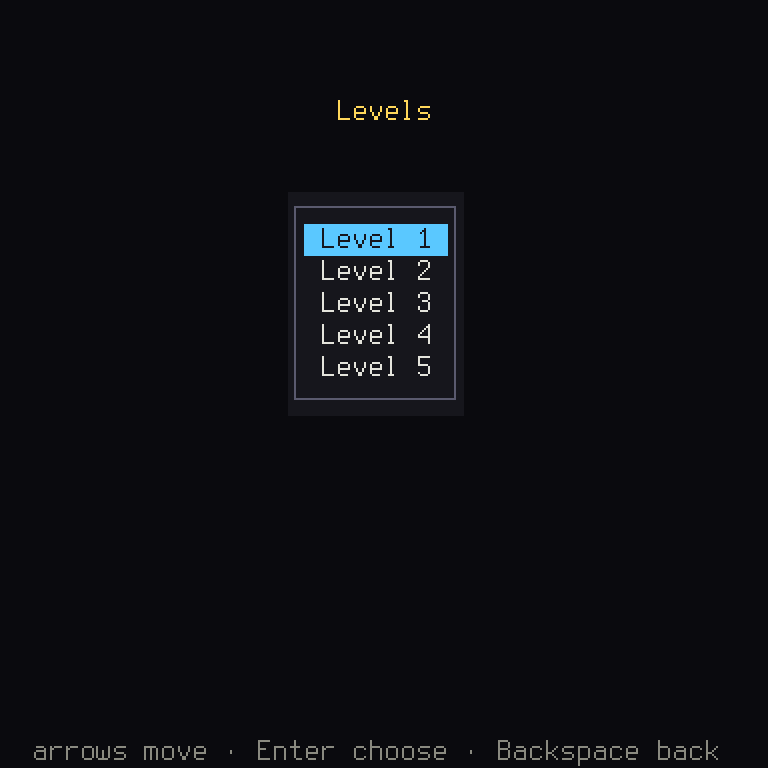
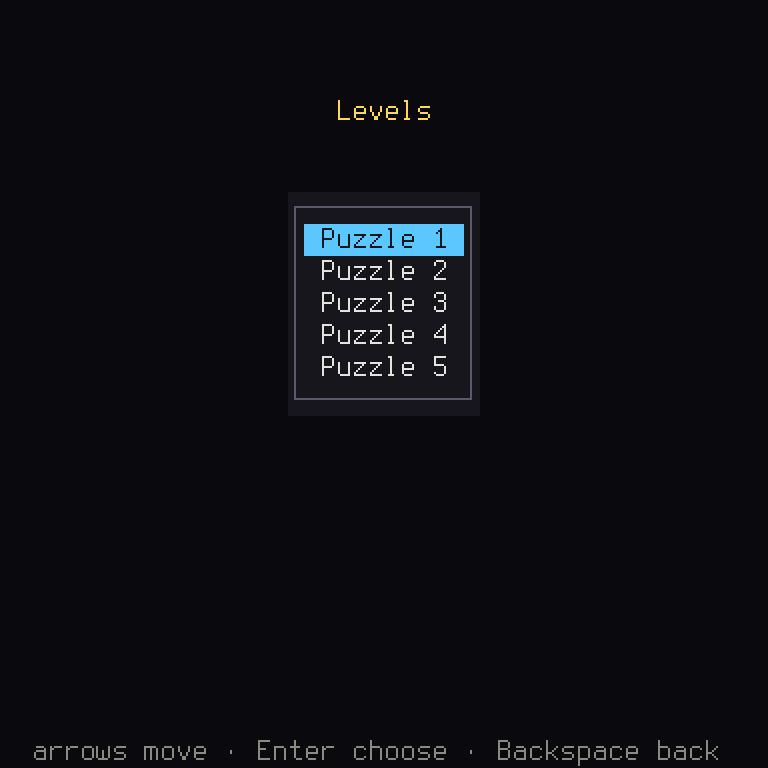
Then the jobs of a screen, inside impl Screen<Data> for LevelMenu. Give it a name of "levels",
as you did for the others. Its actions are whichever its menu reads:
/// Its menu's.
update hands each action to the menu, which answers with what happened, if anything:
If a level is chosen, it pushes a board. If the player cancels, it pops back to the title. So only the title ever leaves the game, and only where the platform allows it, which means nothing here can leave a browser tab frozen.
draw is the same shape you've written before, and as_any is the same as the board's:
Then, in stages.rs, the title starts the menu rather than the board, and the menu goes on the list of
screens:
/// What the title starts: the level menu.
/// Every screen the game can show past the title, for the check that its
/// controls fit each target.
let _ = ctx; only says that this function doesn't need its ctx yet. (It will in step 7.)
A result
Now the stack has three cards: title, menu, board. What should happen when a level is won? The menu should move on to the next level. But the board doesn't know about the menu, and shouldn't: it's only a board. So how does the news get across?
Shuyi: a screen that finishes can hand a value to the one below it. It pops with a result, and the one below hears it in
uncovered. Neither has to know what the other is, beyond the type of the value that they agree on.
So agree on a type, in levels.rs:
/// What a won board hands the menu: the level it was on.
;
When the level is won, Confirm pops the board with what happened. In the board's update, above
Action::Cancel:
Confirm if self.puzzle.outcome.is_some =>
The board's help lines in en.ron should now say so, and that Cancel goes back to the levels:
    // The board.
    "board.help": "{Cursor} walk · {Undo} undo · {Cancel} levels",
    "board.help.won": "Solved! {Confirm} next · {Undo} undo · {Cancel} levels",
Rust:
Action::Confirm if ... =>is a match guard, an arm that counts only if its condition is true too. If it's false,matchgoes on to try the next arm, which here is the plainAction::Confirm => {}. So a Confirm on a level not yet won does nothing.
The menu hears it when it's uncovered, and moves on:
/// A won board hands back its level: the menu moves on to the next.
Rust:
result.and_then(ScreenResult::take::<LevelWon>)asks "is there a result, and is it aLevelWon?". Theif let Some(LevelWon(level)) = ...then opens it up, two layers at once, and calls the number insidelevel. Patterns like this can go as deep as you need.
saturating_sub(1)subtracts, but stops at 0 rather than going below. And.min(last)takes the smaller of the two, so that winning the last level doesn't move the focus off the end.
The tests
on_board in tests/board.rs needs another Enter now, and the stack has grown:
/// The game on its first level.
Every test that uses it keeps working. That's why it was a helper. Now a test of the whole flow:
It wins level 1, and checks that the board has gone, the menu's focus moved on, and that Enter opens
level 2. h.screen::<LevelMenu>() is why screens need as_any.
What you learned
- Rust:
Vec, ranges, match guards, patterns inside patterns, and indexing with[]. - Shuyi: the engine's
Menu, items carrying values,AssetKindandRon, and results between screens.
Chapter 2 explains screens and their results. Next: the game should remember how far you got.