Quick start
This chapter installs what you need, makes a game, and runs it, both in a window and with no window at all. Then it reads the code a new game starts with, so that nothing in the later chapters comes from nowhere.
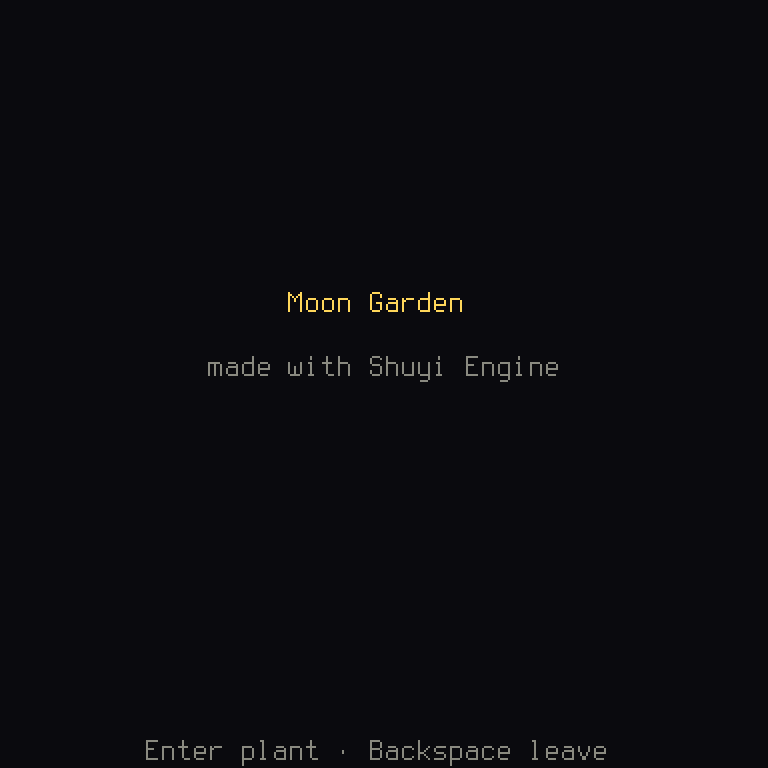
The game this book talks about is Moon Garden: you walk along a row of plots and plant seeds, some of which grow. When every plot grows you win, and when the seeds run out you lose. It looks like this:
A few words first, in case they are new. Rust is the programming language a Shuyi game is written in. Cargo is the program that comes with Rust and turns your code into a program you can run, a job called compiling. And a crate is Rust's word for one package of code. The tutorial's Before you start says more about each, and about what a terminal is, if you have never opened one.
Try it with nothing installed
If you'd rather not install anything yet, open the engine in GitHub Codespaces. That gives you a computer in your browser, a container, with Rust, a C linker and the system libraries set up, and the engine's tools registered with the coding agents it finds. Codespaces bills whoever opens it, from their own GitHub account's free hours or plan.
In it, cargo shuyi new ../moon-garden --template blank makes a game beside the
engine. The rest of this chapter works as written, but there's no window to open:
use the commands below that run the game with no window, which the engine calls
running headless.
Install Rust
Install Rust with rustup, Rust's installer. A game names the
version of Rust it builds with, in a file called rust-toolchain.toml, and rustup
fetches that version the first time you build.
Rust's compiler ends its work by calling a linker, the program that joins the compiled pieces into one file you can run. Most of what can go wrong while installing is the linker. On Linux and macOS, rustup says what you need.
On Windows, either of Rust's toolchains works. With the MSVC one (rustup's default), install Visual Studio's C++ build tools as rustup says. With the GNU one, rustup's own linker lacks libraries the game's window needs, so install MSYS2's:
and put C:\msys64\mingw64\bin on your PATH, the list of folders your terminal
looks in for programs. A new game's .cargo/config.toml already links with it.
Install the tools
The engine isn't on crates.io, Rust's public list of crates, yet. So install its
tools, the program called shuyi, straight from its repository:
This takes some minutes, and needs only Rust and a C linker. If it stops with
linker `cc` not found, or a similar line about a linker, the step above is what's
missing.
Then ask the tools whether your machine has the rest:
shuyi doctor checks what a game needs, and says how to install each piece it
finds missing.
Make a game
shuyi new writes a new game in a new folder, and cd moves your terminal into
it. A template is what the game starts from. blank is one screen, a title.
grid adds a turn-based grid game with its rules in a crate of their own, a bot and
records. Chapter 6 explains the rules.
The game depends on the engine's repository at its latest commit, and shuyi new
says so: a commit is one saved version of the repository's code, and --engine-rev <commit> pins your game to one, so the engine can't change under you.
On Linux, run the setup script the game came with before its first build. It
installs the C linker, pkg-config, the system libraries the window and sound
need, and the game's Rust, with apt, dnf or pacman:
Run it
In a window:
The first time, this takes a few minutes, because Cargo compiles the engine and everything under it. After that, it only compiles what you changed: Fast compiles has the numbers.
Without a window: inside your game's folder, cargo shuyi runs the engine's tools
on your game. The first one builds it.
A frame is one trip round the game's loop, about 60 a second: read the input,
update the game, draw it. run plays that many frames and answers in text, with
the screen on top, and what that frame shows, cell by cell. For Moon Garden, with
its empty rows left out here, the answer looks like this:
run: 30 frame(s); top screen: title (title)
frame (its colours with --json):

                  Moon Garden

             made with Shuyi Engine

         Enter plant · Backspace leave
Being able to see the game as text is what lets a test, or a coding agent, play it. You can give it keys to press, by the names of the game's default keys, and ask for a picture of the frame, still with no window:
Every command answers for people, or with --json for a program. Then the
gates, the checks that must pass before a change counts, as the game's CI runs
them (CI is a service that runs them on each change you push to GitHub):
cargo test runs the game's tests, and each ends in ok if it passed. cargo shuyi check reads every file the game reads, and says what's wrong with them. Both should
pass on a new game. If they don't, the message says which file and line, and
chapter 8 has more.
Change something
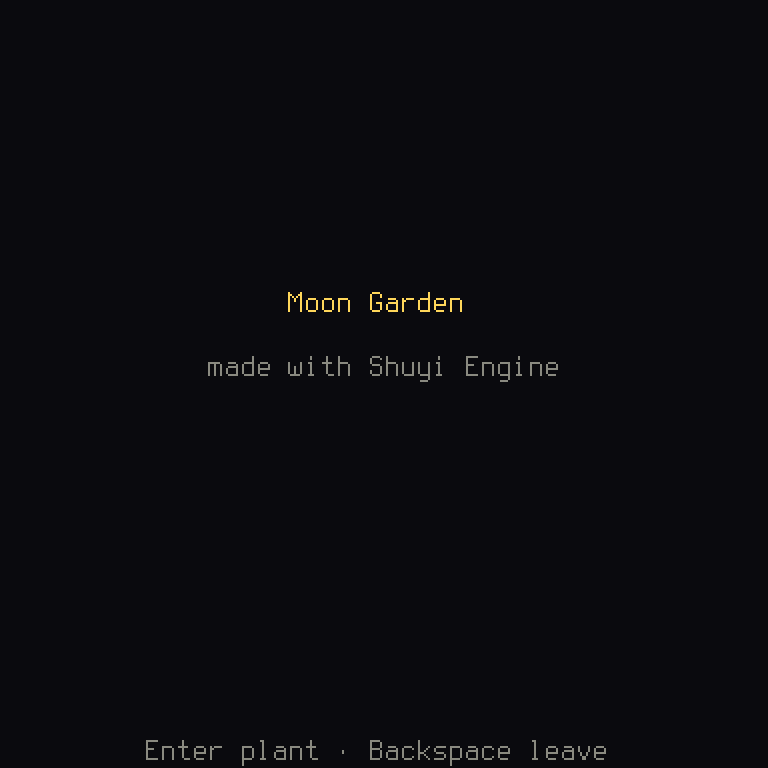
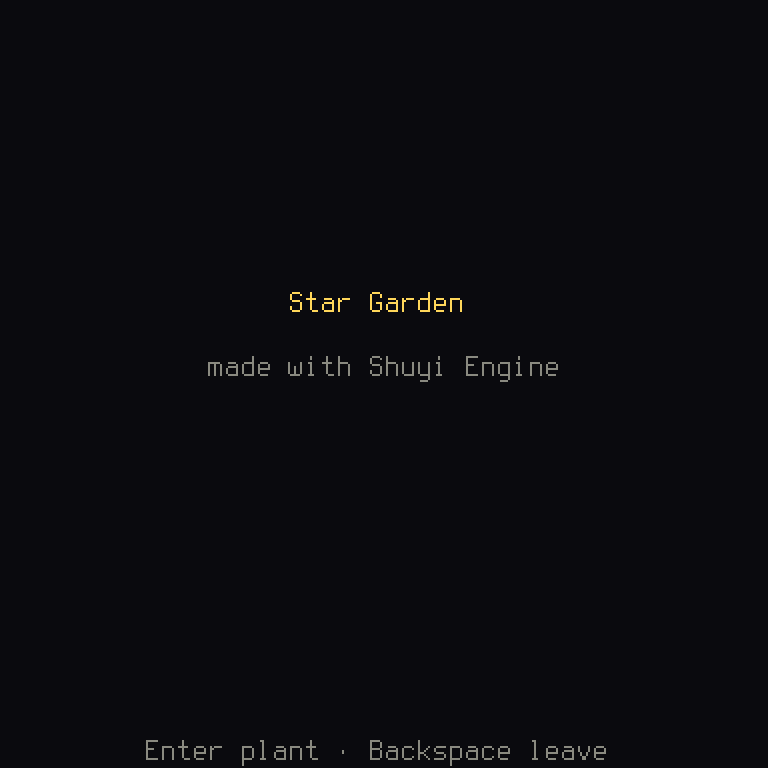
Your game's words are in a file, not in its code. Change one line and run it again:
In files/en.ron:
- "title.name": "Moon Garden",
+ "title.name": "Star Garden",
The diffs in this book show a line with - as it was, and with + as it becomes.
Moon Garden's files are in files/ and its code in src/. A game made by shuyi new has the same files in crates/game/files/ and crates/game/src/.
What it is made of
Now the code. You can skim this section and come back: every idea in it has a chapter of its own. A new game is on the engine's short path, which means it names only what the engine can't work out from its files, so its code is a handful of short files.
crates/game/src/lib.rs says what the game is. A game's files can be built right
into the program it makes, so there's nothing to lose or to install. Embedded
like this, a player gets one program:
/// The game's files, embedded: its English, its keys, its palette, its
/// font and its own part.
// check-text: not player text, a folder
static FILES: = include_dir!;
Rust:
///is a comment for the thing below it, and//an ordinary one. The computer ignores both, though the engine's text check reads this// check-text, which tells it this isn't text a player sees.staticmakes a value that lasts as long as the program,Dir<'static>is its type, and'staticis that lifetime written down.include_dir!is a macro, code that ends in!and writes more code while compiling: here, code that holds your whole folder.
The game's data is what every screen shares. On the short path, it's the
engine's BasicData: the English text, the keys, the palette and the font, read
from those files, with the six moves of UiAction (Up, Down, Left, Right,
Confirm and Cancel) as the game's actions, the things a player can ask for. A
game's own part rides along. Here, that's the garden's plan, how many plots and how
many seeds. A new blank game has none, which is written (), a value that holds
nothing.
/// The game's data, which its screens share: the engine's part read from
/// `files/`, with the six moves of `UiAction` as its actions, and the
/// game's own part, its garden's [`Plan`].
pub type Data = ;
Rust:
typegives another name to a type, so the rest of the code can sayData. A type is what kind of thing a value is. The<...>are generics, blanks in a type to fill in:BasicDatais written for any actions and any own part, and this fills in which.pubmeans other files may use this.
Who the game is, its name, its reverse-DNS id and its version, is written once, in
shuyi.ron's app (chapter 9). A
reverse-DNS id is a web address backwards, com.example.moon-garden, which makes
it unique to you. cargo shuyi app-info writes it as a constant in
crates/game/src/app_info.rs, which the window's title, the loading card and the
storage read. Never edit that file by hand.
/// Who the game is: its name, its id (the player's settings are kept under
/// it) and its version. `cargo shuyi app-info` writes it from `shuyi.ron`'s
/// `app`.
// check-text: not player text, who the game is
pub const APP: AppInfo = new;
Rust:
constis a value fixed while compiling.#[...]is a note to the compiler or its tools, and this one tells the code formatter to leave the line alone.
The player's settings are kept under the id. A new game's is a placeholder,
com.example.moon-garden, which check --target warns of. Set your own before you
hand out a build, since two games with one id share their saves.
And game() gives the rest, a BasicGame: who it is, its files, its first screen,
and every screen it can show (a screen is one thing the game shows, like a title
or a menu):
/// The game: who it is, its files, how its own part is read from them,
/// its first screen, every screen it can show, and the engine's modules
/// its features turn on.
/// Every screen the game can show, for the check that its controls fit
/// each target.
Rust:
fnstarts a function, a named list of instructions, and->says what it gives back.letgives a value a name. The last line, with no;, is what the function gives back. Each.name(...)after it is a method, a function called on that value, and here each gives back the game with one more thing set.
|_| Box::new(Title)is a closure, a small function with no name, and the_means it ignores what it's given. It makes the first screen.Box<dyn Screen<Data>>means "some type that is a screen, kept in a box". The list holds three different types, which only fit side by side once each is in a box.vec![...]makes a list, aVec.&mut Ctx<Data>lends the function the context, and&mutmeans it may change it.
crates/game/src/main.rs runs it in a window, with run_game. main is where every
Rust program starts:
/// The game's binary: the engine's macroquad backend runs it in a window.
crates/game/examples/tools.rs is the game's tool program. The engine's tools
run your game inside this program, and BasicTools is what they need to know of a
game on the short path:
/// The game's tool program: `cargo shuyi <command>` runs the engine's
/// tools in it, with the game's own, here the engine's for a game on the
/// short path.
Rust:
std::env::args().skip(1)is the words after the program's name on the command line.Some(&tools)is anOption, a value that may be there (Some) or not (None). This one is there, and&lends it without giving it away.ExitCodeis the number a program hands back when it stops, where 0 means all went well.
The rest of the folder:
| Path | What |
|---|---|
crates/game/src/title.rs | The title, the first screen (chapter 2) |
crates/game/src/app_info.rs | Who the game is, written by cargo shuyi app-info from shuyi.ron |
crates/game/files/ | The English text (en.ron), the keys (keymap.ron), the colors (palette.ron) and the font. RON is a simple text format for data |
crates/game/tests/ | The game played without a window, and through its tools (chapter 8) |
shuyi.ron | The project file the tools read (chapter 9) |
AGENTS.md, .claude/skills/ | The rules a game on the engine keeps, and the engine's skills, for you and your coding agent (chapter 10) |
.github/workflows/ci.yml | The game's gates, run on every pull request, a proposed change on GitHub |
When it goes wrong
error: no such command: `shuyi`aftercargo shuyi: you aren't in your game's folder.cdinto it.cargo shuyiis defined by the game's own.cargo/config.toml, so it only works there.linker `cc` not found, or a linker error full of.aor.libfiles: the C linker is missing or isn't on yourPATH. Install Rust again, then runshuyi doctor.- A red
error[E0425]or the like fromcargo run: that's Rust's compiler, and your game didn't build. Read the first error, not the last: it names the file and line, and it often says how to fix it. The others are often caused by the first. check: 1 error(s): one of your files doesn't read. The line under it names the file, line and column, and a code such asSH2001.cargo shuyi explain SH2001says what it means.
In the browser
Hello, Grid, the engine's example, plays in your browser
on this site. A new game has no web build yet:
chapter 9 gives it one, in two
short files, and then cargo shuyi web builds the page.
Next
A rebuild after a one-line change takes about a second: Fast compiles has the numbers and the setup behind it. Chapter 2 writes the garden's screens.